
GitHub
SolCyber will provide you will a webhook URL to use.
Login to Github and select your organization under which all the repositories are available.
Go to the Settings page for the organization that needs to be monitored.
Select Webhooks > Add Webhook from the left section of the screen.
 (1).png)
Enter the webhook URL, select “Enable SSL verification” and select “Send me everything.”
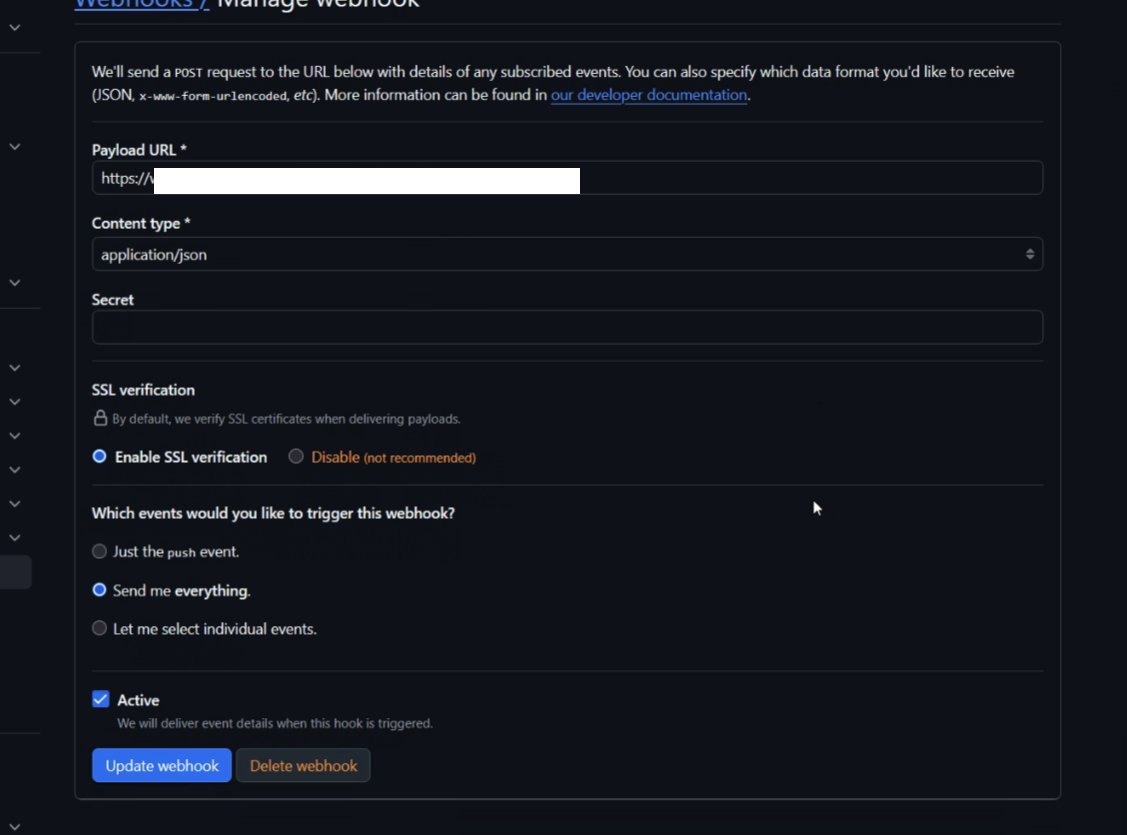
Save the configs.