
Microsoft Windows
Note 1: A Remote Ingestion Node (RIN) is required to receive Windows logs.
Note 2: If you already have a Windows Event Forwarding infrastructure in place, please work with the SolCyber SOC to devise the best method to ship and ingest your Windows logs.
Install NXLog#
NXLog is an open-source, lightweight log shipper. We will use NXlogs to send your Windows security logs to the RIN via syslog.
Download NXLog for Windows:
https://nxlog.co/downloads/nxlog-ce#nxlog-community-edition
This package can be installed interactively, using msiexec or via Group Policy.
Update nxlog.conf#
Once the application is installed, visit C:\Program Files\nxlog\conf\ and delete the file named “nxlog.conf”. Replace it with the following file:
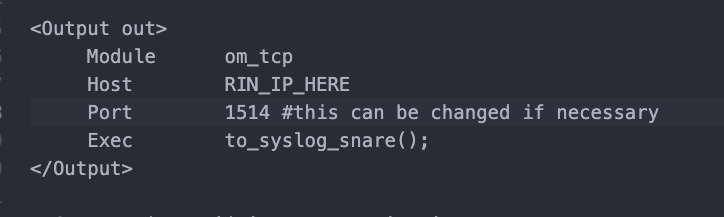
Open the file and add the IP of your RIN on line 107. If instructed by the SolCyber SOC, you can change the destination port on line 108.
Restart NXLog#
Open services.msc and restart the NXLog service.