
Log Ingestion Appliance - Hardware
Prerequisites #
Ensure that the following prerequisites are met before you proceed:
| Requirement Type | Requirement | Description |
|---|---|---|
| Server | Operating System | RHEL 8+, Ubuntu 22.04 |
| Firewall Ports | SNYPR Console | Please ensure that your firewall allows the Ingestion Appliance to communicate outbound on TCP/443 |
| Firewall Ports | KAFKA Brokers | Please ensure that your firewall allows the Ingestion Appliance to communicate outbound on TCP/9093 |
| Firewall Ports | Ingester Heartbeat and Management | Please ensure that your firewall allows the Ingestion Appliance to communicate outbound on TCP/9993 |
| Firewall Ports | Syslog sources | SolCyber will instruct you as to which ports will be in use for data ingestion. Note: Use TCP for Syslog sources to improve the reliability of data transfer. |
| Firewall Whitelist | Ingester Health Monitoring | Please ensure that your firewall allows outbound TCP traffic to zabbix.SolCyber.us on port 443 from your Ingester Appliance |
We recommend setting a static IP for the Charango. This is not required, however, if you chose to, please schedule a working session with us before setting up the device.
Setting Up a Log Ingestion Appliance#
First, connect a network cable to port 8 as shown below.
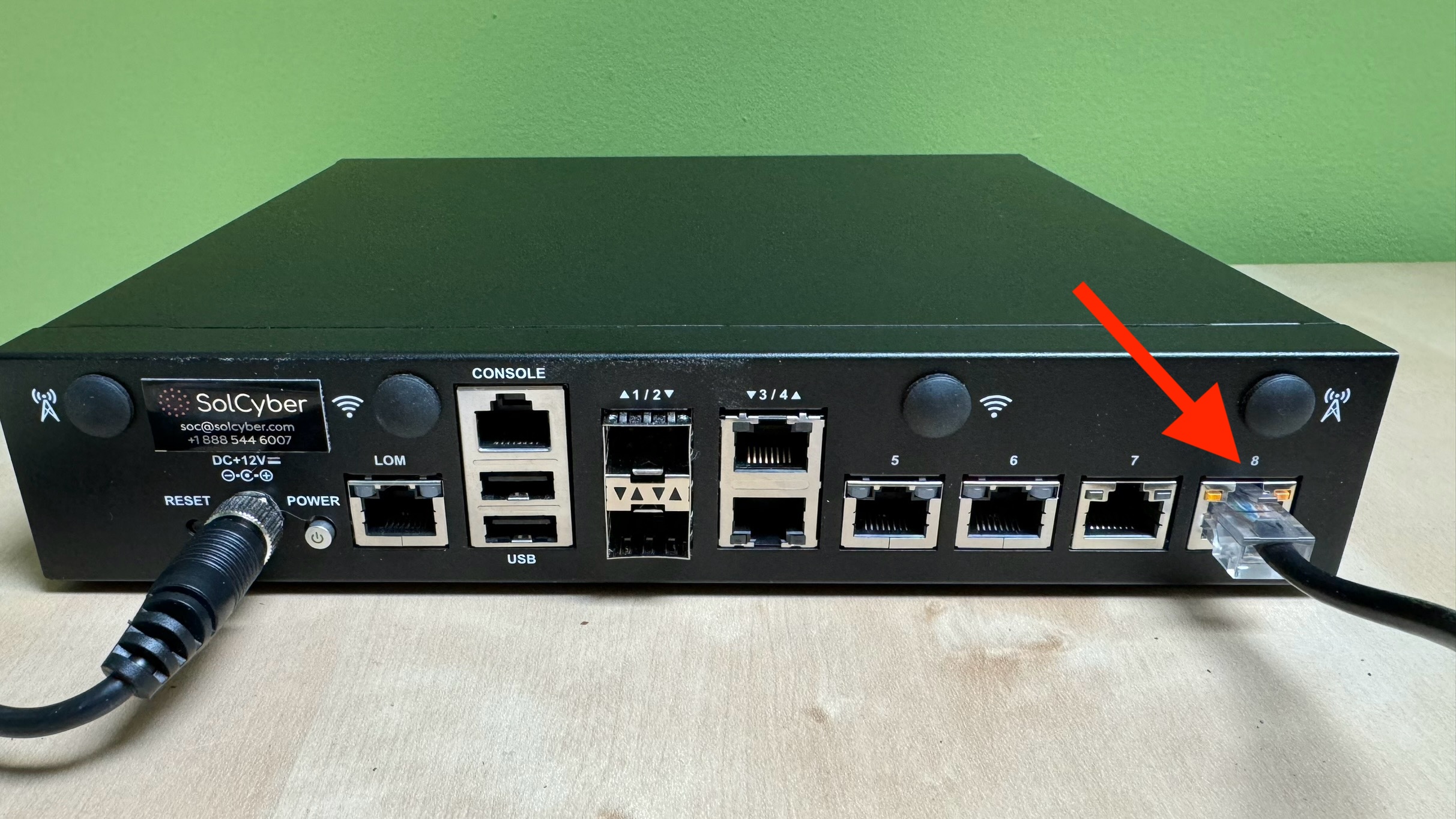
Next, connect the power cable.
Power on the device by pressing the power button.
If DHCP is enabled on your network, the device will grab an IP automatically.
After the device boots, contact SolCyber to confirm the appliance is connected to the Securonix console.