
Attivo Removal
Uninstalling the Attivo Agent#
The following are the recommended steps to remove the Attivo agent from any Windows system.
- Download the Attivo_Win32.zip binary file and transfer to the endpoint
- Open the downloaded zip file and extract all files
- Open Command Prompt as Administrator
- From the Command Prompt, change directory to the location of the unzipped folder that contains the files extracted
- Run the following command and press Enter:
windowssetup.exe /ua /force
- Confirm output is similar to the image bellow
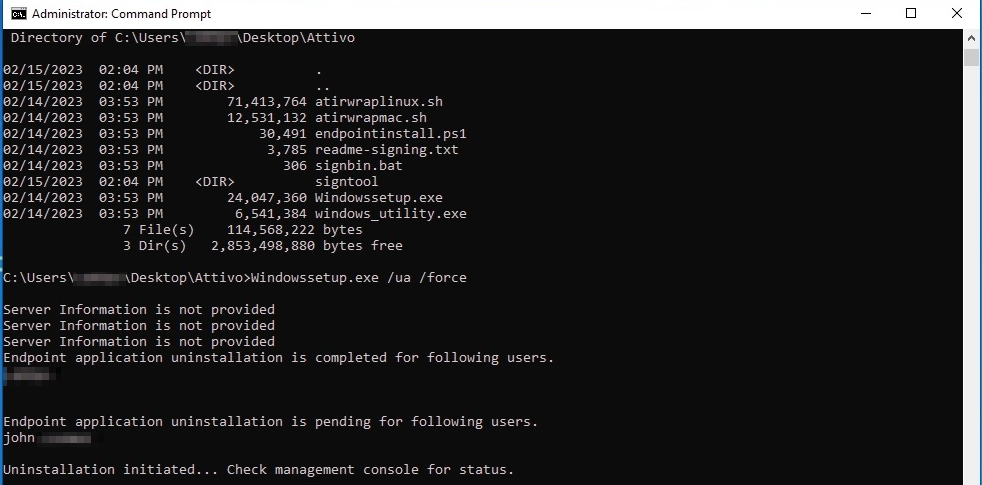
Confirm output
Other Recommended Actions#
- If you created a specific service account for Attivo in Active Directory, please remove, or at minimum, disable this account.
- If you stood up a server specifically to run the Attivo Cloud Link, you are free to decommission or repurpose the server.