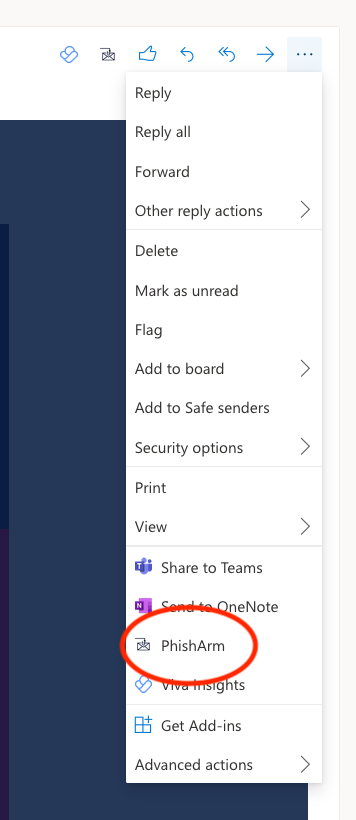
PhishArm Button Deployment: Office365
The PhishArm button (provided by Right-Hand Cybersecurity) is used to report suspicious email directly to the SolCyber SOC. The reported email will be sent as an attachment to the SolCyber SOC. The email will also be moved to the user’s junk folder.
Admin Configuration#
Login to your domain Admin center
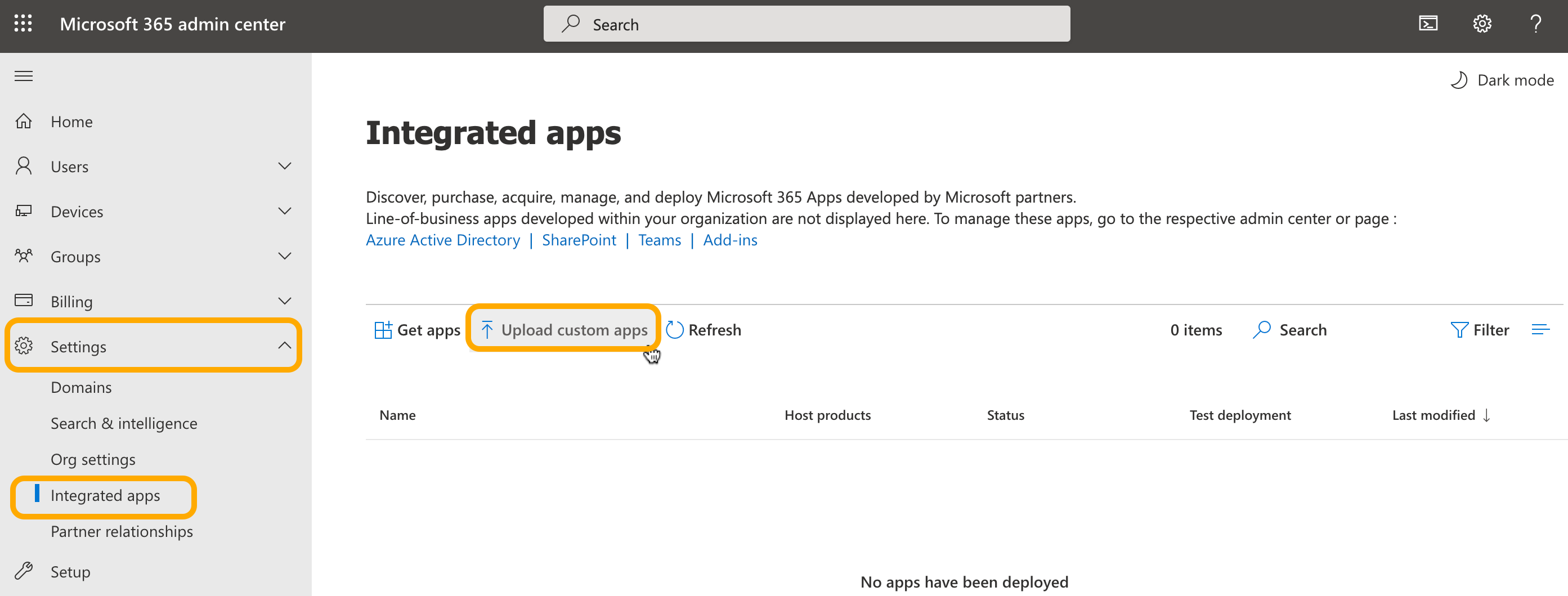
Go to Settings - Click Integrated Apps and Choose Upload Custom apps
Under Deploy New App select Choose how to upload app Upload manifest File(.xml) provided to you by SolCyber.
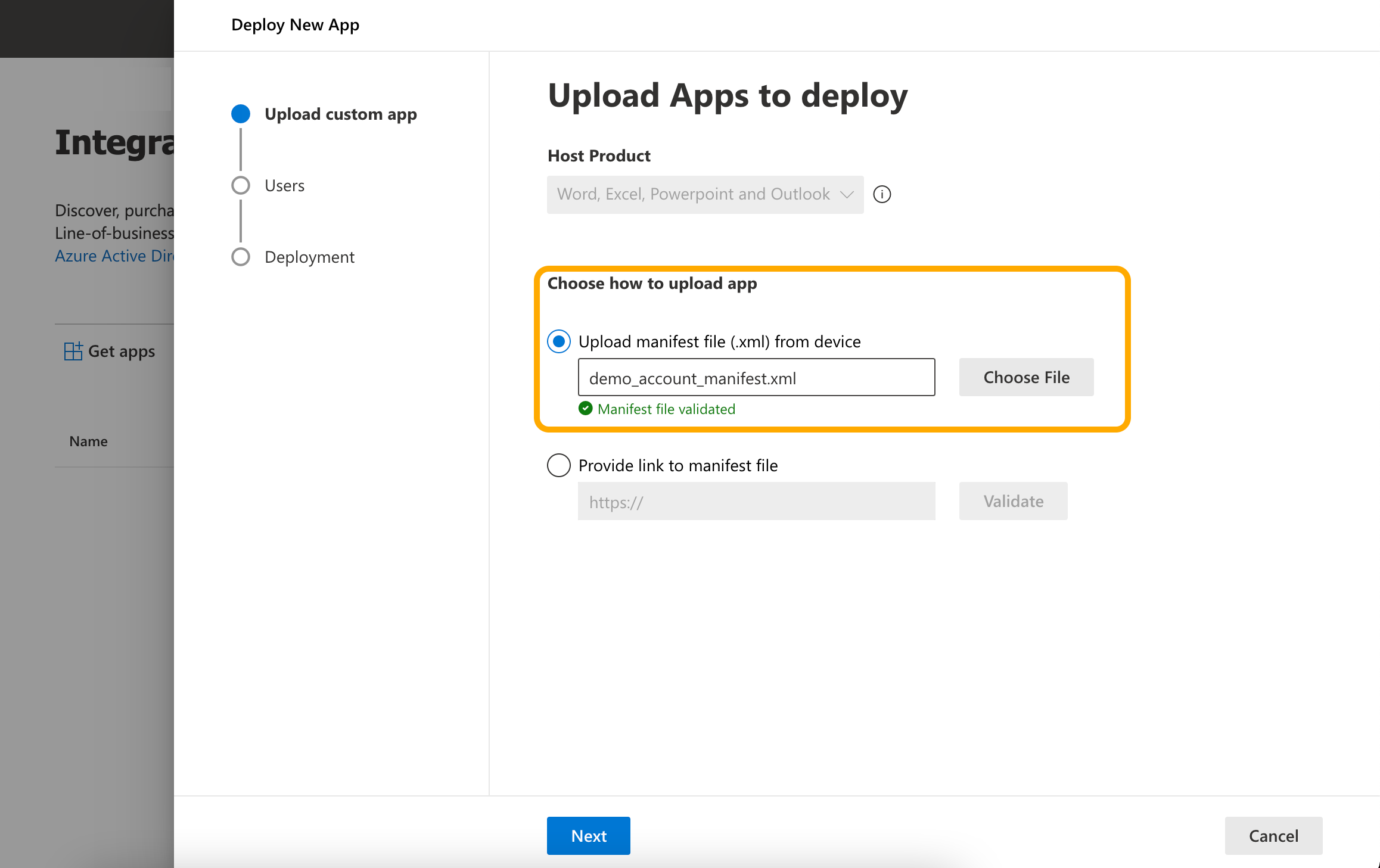
After uploading Click on the Next button
Under the Assign Users option:
- Choose No for Is this a test deployment
- Set Entire Organization (so that all employees under this domain will get this plugin in Outlook)
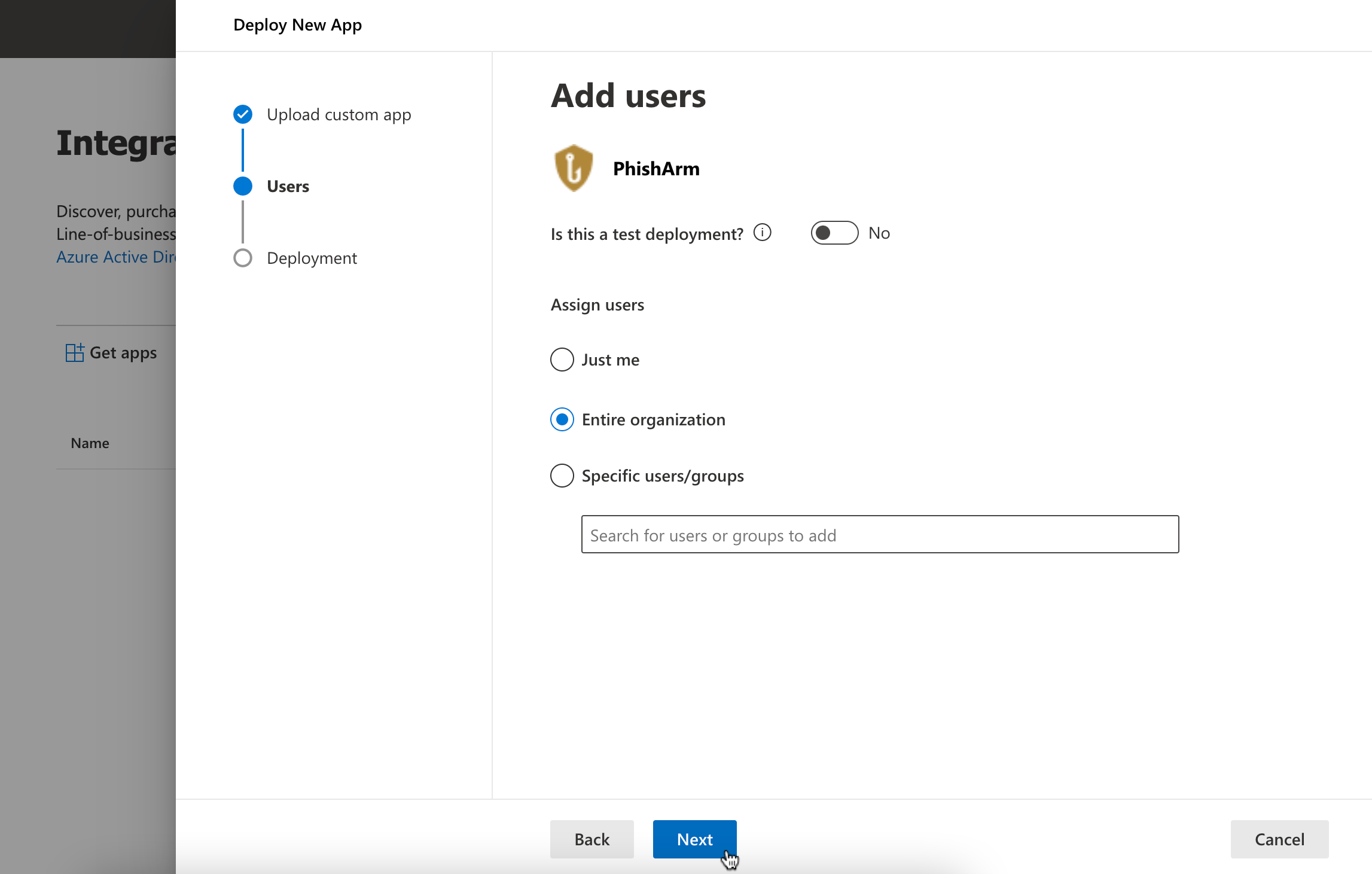
Click Next.
Under Deployment click, Next Accept Permission and click on Finish Deployment
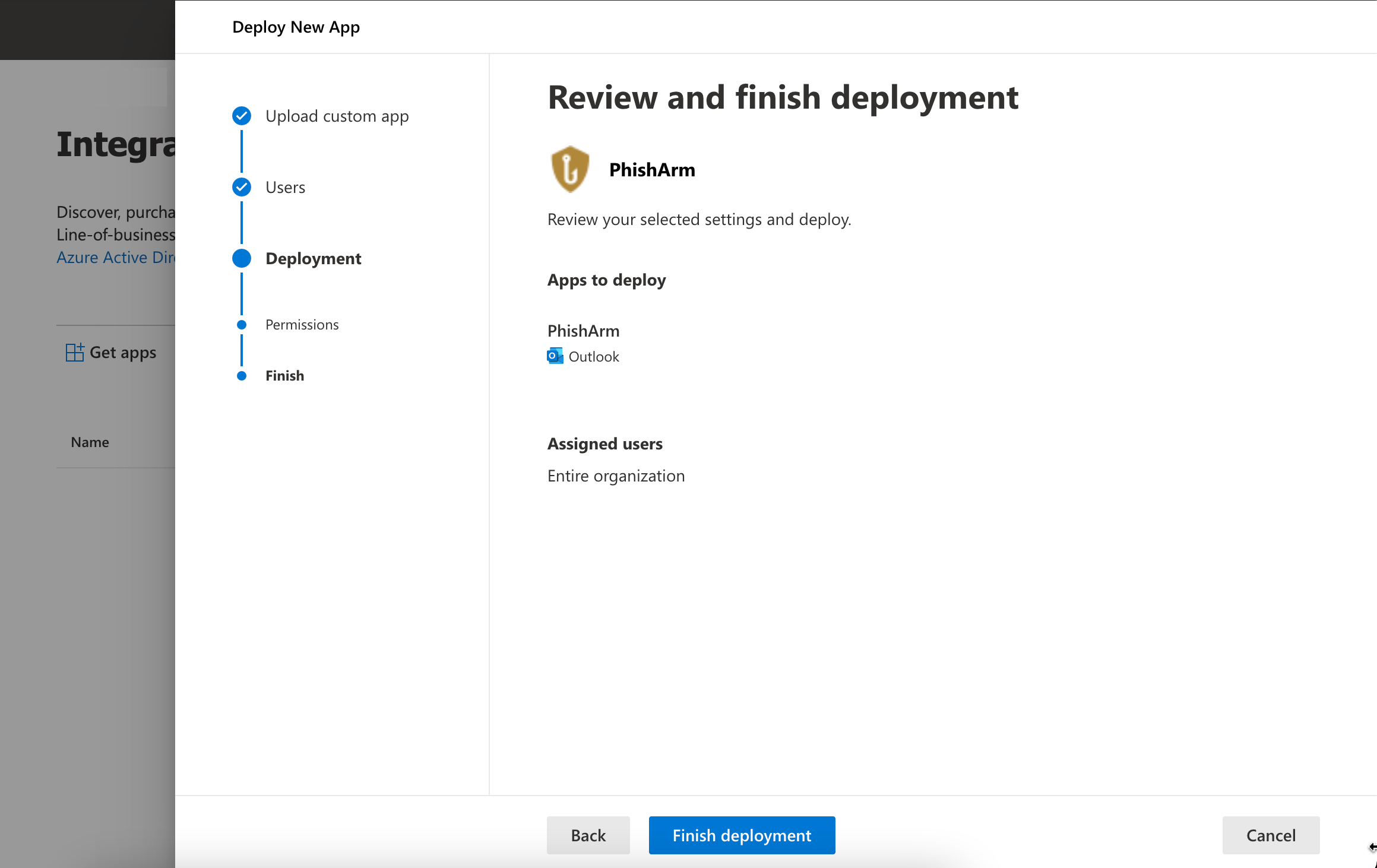
After Successful deployment, click on Done and you will see the Plugin-in in the Add-ins list.

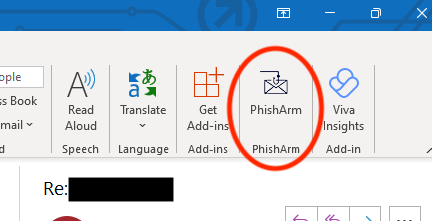
It can take up to 24 hours for the add-in to be deployed. Once deployed, users will see the PhishArm plugin in their Outlook emails.
Screenshots#
Outlook - Windows#
Outlook - Mac#

Outlook - Web#